
On Monday morning, one employee finishes a task at home but cannot hand it off because a manager's approval is still sitting in a chat. Another is waiting for information from the same team and does not know who owns it. The files are on computers and everyone is online, but the work due to the customer has stalled.
This is one problem an organization may face when it moves from daily office work to working from home, or WFH, 100% of the time. A change of location needs clear agreements, traceable handoffs, and a way to follow both output and workload. Keeping a meeting app open all day does not answer those needs.
If I were considering this change, I would start by asking how the organization's work will keep moving when people are no longer in the same room. Then I would look at the benefits, the extra investment, and what should be tested before committing fully.

Employee status and work location are different questions
In this article, WFH 100% means working from home or another agreed location without routine office attendance. People can still be regular employees. Their employment status, duties, and rights must be considered under the agreement and laws that apply to the work.
Before saying 100%, decide whom you are counting. Manufacturing, patient care, on-site repairs, and handling physical goods may not be fully possible from home. If an organization still has those jobs, it should say which roles can work remotely. Moving all office jobs out of the office does not automatically make the entire organization WFH.
For jobs that can be done remotely, look for documents, tools, data, or approvals still tied to a place. If every case waits for someone to retrieve a file from the office, the team remains bound to the old room even while most people are at home.
The benefits are real, but some costs remain
The clearest benefit is that employees no longer commute to an office every day. The organization may recruit across a wider area. Some work may get longer uninterrupted stretches when distractions decrease. A team may also be able to keep working when one office is unavailable, provided its systems and backup arrangements are ready.
Those benefits depend on each person's circumstances. A quiet home and a home without workspace are different. Internet connections, equipment, and family care demands vary too. If home becomes the workplace, the organization should have a way to support people whose environment is not ready, including the tools each person needs to access documents and meetings.
An organization may reduce rent or office space, but it can take on equipment, security, technical support, and expenses to agree with employees. Some leases cannot end immediately. I would compare total costs before and after, instead of looking only at a smaller rent bill.
Productivity needs to be checked against actual work. Home may help some people concentrate, but it does not guarantee every team will deliver faster. If approvals are slow or information is scattered, time saved on commuting may become time spent waiting in chat.
What people learned by sitting nearby needs another route
In an office, people can ask a quick question or notice where another team is stuck. Apart from one another, they need a way to find out without guessing. New employees especially need to know where documents live, who decides, and whom to ask when they cannot proceed.
A study by Yang and colleagues in Nature Human Behaviour examined Microsoft employees in the United States before and after a shift to full-time remote work in early 2020. It found more static and siloed collaboration networks and a shift toward more asynchronous communication. This observed change came from one technology company during the pandemic; it cannot stand in for every organization. To me, it suggests designing connections between teams from the start. See the study and the research team's explanation.
I would give new employees a person to answer questions, examples of accepted work, and regular time with their manager. Experienced employees also need ways to learn what happens outside their own team. Training, important assignments, and promotion criteria should be visible, rather than flowing only to people who speak with the manager most often.
Work-life boundaries matter too. Someone who answers quickly may still have a heavy workload. Someone who answers slowly may be concentrating or off the clock. A team needs to separate real emergencies from a habit of messaging at any hour, and make room to discuss fatigue, isolation, or excessive work without turning that disclosure into a mark against performance.
Agree on the terms before moving the workplace
In Thailand, Section 23/1 of the Labor Protection Act B.E. 2541 (1998), added by its eighth amendment in B.E. 2566 (2023), allows an employer and employee to agree on work outside the employer's premises where the job is suitable. It requires the employer to prepare the agreement in writing or as accessible, retrievable electronic information whose meaning remains unchanged. Read the published law.
The agreement may address its duration; workdays and hours; breaks, overtime, holiday work, and leave; duties and supervision; and equipment and expenses. The law says those details may be agreed. Preparing the written or qualifying electronic agreement is a requirement.
The same section gives employees the right to refuse communication after their agreed normal work hours or completion of assigned work, unless they have given prior written consent. Remote employees have the same rights as employees at the employer's premises. A WFH agreement therefore has to protect workers' rights while organizing the work.
In practice, I would want the team to know when they need to be available for coordination, how to report that they are unavailable, and which emergency channel has a named owner. On-call duties or overtime must be handled under the applicable agreement and law, rather than letting late-night chat replies become an unspoken duty.
Sick leave needs a reporting and handoff process people can actually use. Being at home does not automatically make a sick person fit to work. The team needs backup ownership for important tasks so that rest or leave does not become one person's guilt.

Rules that keep work moving when someone is offline
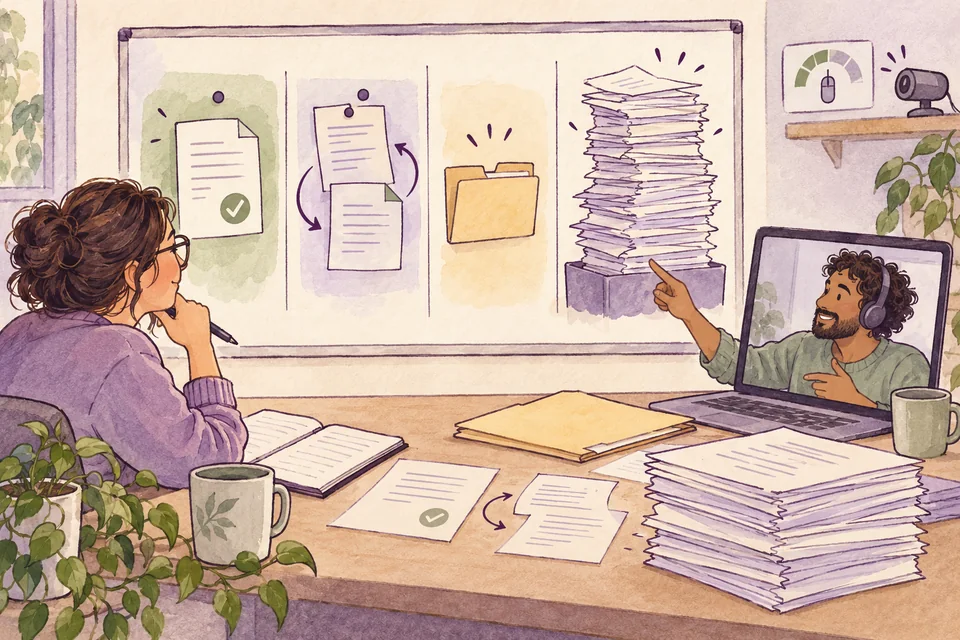
I would start each task with a named owner, what they need to deliver, when, and who accepts it as done. A short status record should show what is complete, what comes next, and what is blocked, in a form others can read. The Monday morning case becomes solvable when the team knows whose approval is pending and who can decide if that person is unavailable.
Questions that do not need an immediate answer should be written somewhere searchable, along with the reasoning and decision. Ambiguous or urgent issues can then be discussed live. After a meeting, put the conclusion, owner, and next action in one place so people who missed it or work in another time period can continue.
Equipment and expenses need an owner, from computers, repairs, and internet access to returning devices when employment ends. There also needs to be a fallback for power or connection failures. Desks, chairs, and a workspace suitable for prolonged use deserve consideration. Agree on approved work locations and how a change of location works. WFH 100% does not necessarily mean working from anywhere without conditions.
For security, I would propose work accounts, separation of personal and work data, multifactor authentication, role-based access, and an approved way to store or back up documents. Work devices need update and data-protection rules. If customer files should not travel through personal chat, employees need a practical alternative they will actually use.
If a device is lost, an account is accessed, or information goes to the wrong person, employees should know whom to contact immediately, who can cut off access, who assesses the effect, and who communicates next. A process that makes quick reporting possible is more useful than one that frightens people into hiding an incident.
Follow output and watch for overload
I would track whether agreed work was completed, its quality, and where the team waited. An online-status light, mouse movements, or a camera left on all day cannot answer those questions in full. I would not use them alone to decide whether someone works well.
This table is only a starting example; each team should choose what fits its work and agreements. The review intervals are proposals, not mandatory standards or targets every organization must reach.
| What to track | Why look at it | Suggested interval | Limit to consider |
|---|---|---|---|
| Deliverables and time from intake to completion | Find pending work and delays | Weekly | Separate types and difficulty of work; include time waiting for approval. |
| Rework and errors | See quality, rather than reward speed alone | Weekly or monthly | Volume and severity vary. A count alone cannot compare people fairly. |
| Response and resolution under service agreements, including customer complaints | See the result customers receive | By service cycle and weekly | Separate urgency and causes outside the team's control. |
| Cross-team work awaiting information or decisions | Find ways to reduce stalled work | Weekly | Ask why work waits; do not rank people by message count. |
| Workload, time outside work hours, and people's capacity | Adjust staffing and help people who are becoming exhausted | Regular conversations and monthly review | Do not score performance based on disclosure of a wellbeing problem. |
| Turnover, learning, and advancement opportunities | See retention and fairness | Quarterly | Small teams vary widely; look at reasons and trends over several periods. |
Before using the data for evaluations, agree on definitions. For example, does done mean submitted or accepted? How is acknowledging a request different from resolving it? How do you count time after the scope changes? Without agreement, precise-looking numbers can give the whole team a false picture of the work.
Employee monitoring data also raises privacy questions. Thailand's Personal Data Protection Act B.E. 2562 (2019) limits collection under Section 22 to what is necessary for a lawful purpose. Section 23 addresses notice, and Section 24 sets conditions for lawful collection. Announcing that monitoring will happen is not the whole answer. The legal basis and employees' rights still need consideration. Read the law.
I would start with team-level information and limit access to individual records according to each person's role. Explain what is collected, why, for how long, and who can see it. Even an anonymous sentiment survey can expose respondents in a small team. Do not ask for more detail than is needed to organize the work. A workload conversation does not require a medical history or diagnosis.
Run a trial before extending WFH to 100%
Even if WFH 100% is the final goal, I would collect a baseline before the change: delivery time, quality, complaints, workload, and costs. Compare periods with reasonably similar work, rather than comparing a quiet period with a deadline rush and drawing the wrong conclusion.
Then trial it with roles that can work remotely. Include cross-team tasks, onboarding, and system failures in the assessment. Decide when to review, who decides, and which conditions must improve before expansion. Team members need a way to raise problems before the trial fails.
When ready to expand fully, the organization still needs people to maintain its rules, documents, equipment, and support. If output improves but chronic overtime rises, or deadlines are met while customers repeatedly return with the same problem, the approach still needs work. The review must consider both the result and the burden people carry to achieve it.
For me, the decision turns on whether the organization can keep work moving fairly and visibly. Think of one process that now depends on walking over to someone's desk. If everyone were at home tomorrow, what information or decision authority would need to be in place first?
Questions before changing the work model
Does WFH 100% mean an organization must have no office at all?
No. It may keep space for certain activities or support. What it needs to explain is whether routine office attendance is required and which jobs are covered by remote work. If people still need to come in on a regular schedule, describe that model accurately.
Without continuous screen monitoring, how can we tell whether work is moving?
Start with agreed deliverables, owners, acceptance criteria, and a way to report blockers. Then look at delivery time, quality, and customer outcomes together. If that is still not enough information, improve the definitions or handoff process before adding surveillance that does not explain why the work is stuck.