
The export team gets two references from the border: EXP-042 from the shipping paperwork and PK-204 from a carton label. Can the team find the receiving records for both orchards in Odoo? The previous article looked at this question from the packhouse’s perspective. This time, we’ll enter the transactions in Odoo 19 and see where those two references lead.
Use a test database with Inventory and Manufacturing installed. The exercise uses a single warehouse with one-step receipts, manufacturing, and deliveries. The screenshots come from an Odoo 19 Community test database. Select any image to open it at full size. The orchards, recipient, and documents are fictional.
1. Turn on lot tracking and create the products
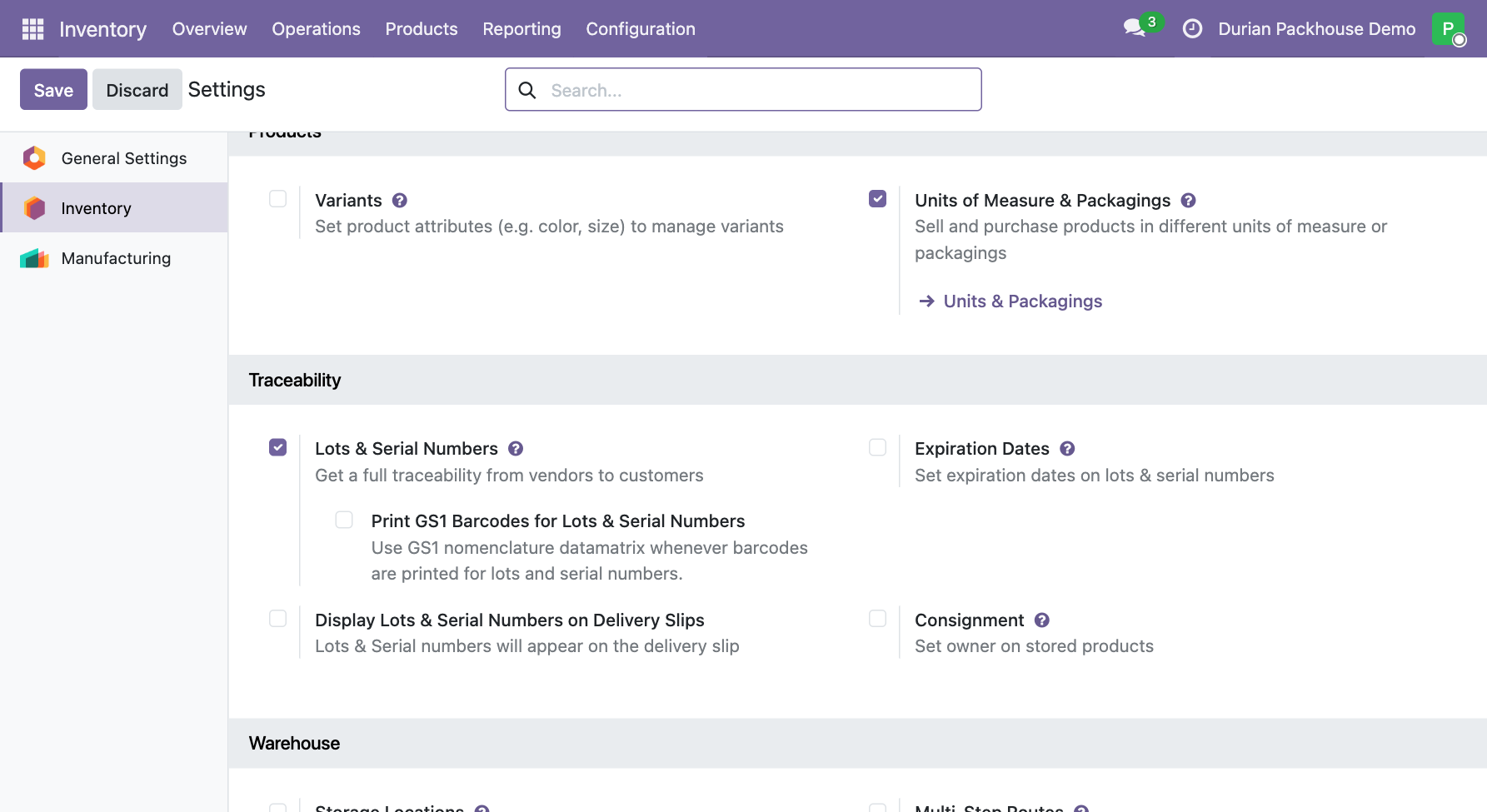
Go to Inventory › Configuration › Settings. Under Traceability, enable Lots & Serial Numbers. Under Products, enable Units of Measure & Packagings, then click Save. Then go to Inventory › Products › Products and create the two products below. For each, set Product Type to Goods, select Track Inventory, and choose By Lots. Set each product’s inventory unit to kg using the unit field next to its Sales Price or Cost. Odoo lot tracking documentation · Odoo units of measure documentation
| Product in Odoo | Used for | Exercise lots |
|---|---|---|
| Fresh Monthong Durian | Fruit before sorting and packing | IN-071, IN-072 |
| Packed Monthong Durian | Fruit after sorting and packing | PK-204, PK-205 |
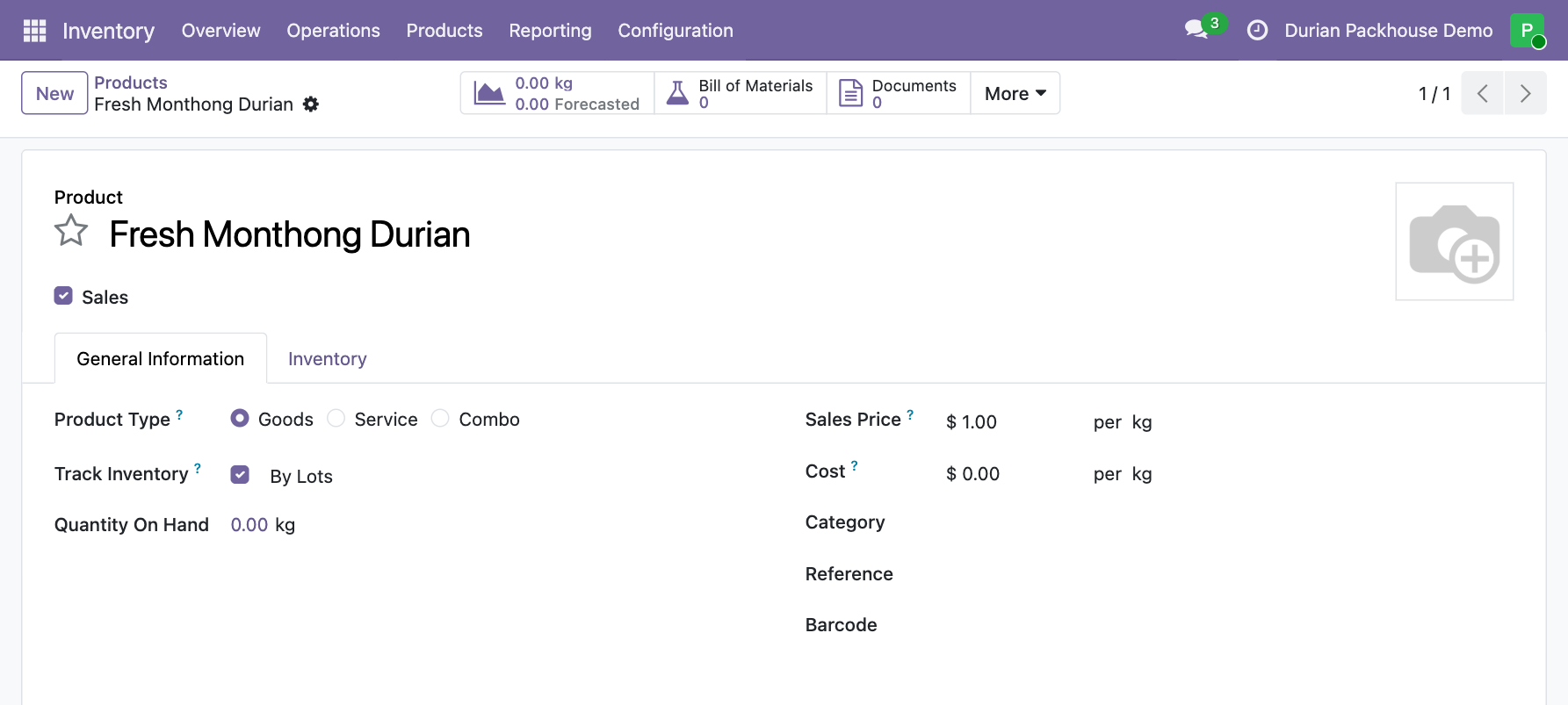
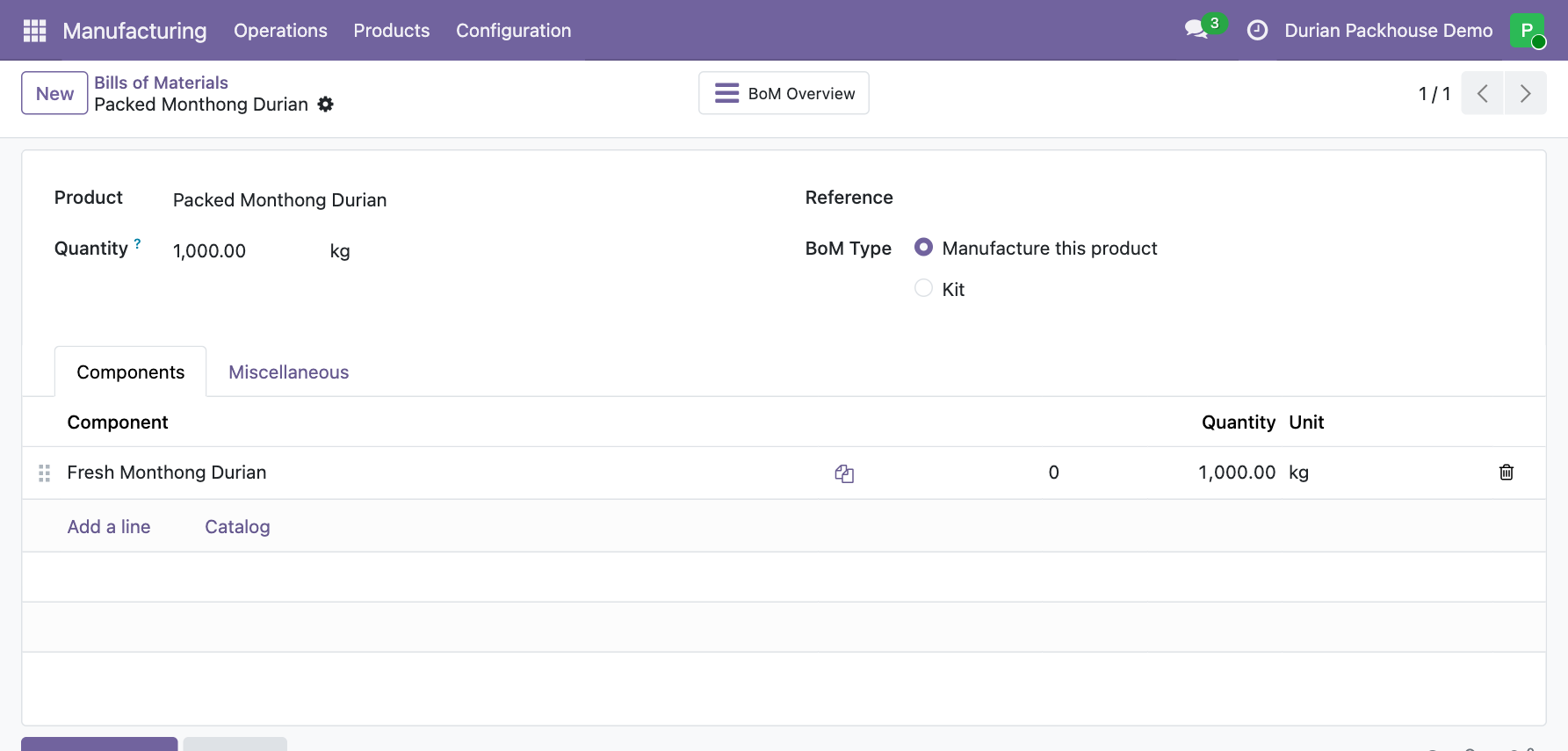
With two products, the manufacturing order records the incoming lots of one product it consumed and the packed lot of the other product it made. Go to Manufacturing › Products › Bills of Materials and create a bill of materials (BoM) for Packed Monthong Durian. Choose Manufacture this Product and set the bill of materials to use 1 kg of Fresh Monthong Durian per 1 kg of packed fruit. This ratio makes the exercise easy to reconcile. In a real packing run, record what you weigh and what you discard. Odoo 19 documentation on bills of materials
2. Create a separate receipt for each orchard
Go to Inventory › Operations › Transfers › Receipts and create two receipts. If Orchard A and Orchard B are missing, create each contact when choosing the receiving partner. Select the orchard in Receive From, add Fresh Monthong Durian in the Operations tab, and set Demand to the quantity you expect to receive. Enter the reference for the underlying paperwork in Source Document.
| Receive From | Source Document | Incoming lot | Actual receipt (kg) |
|---|---|---|---|
| Orchard A | ORCHARD-A-071 | IN-071 | 1,000 |
| Orchard B | ORCHARD-B-072 | IN-072 | 400 |
On the product line, click Details to open Detailed Operations. Add a line and enter the lot number and quantity, then save and click Validate. Repeat for the second receipt. Reopen each completed receipt and check the orchard, document reference, lot number, and weight against the paperwork. Odoo 19 documentation on assigning lots on receipts
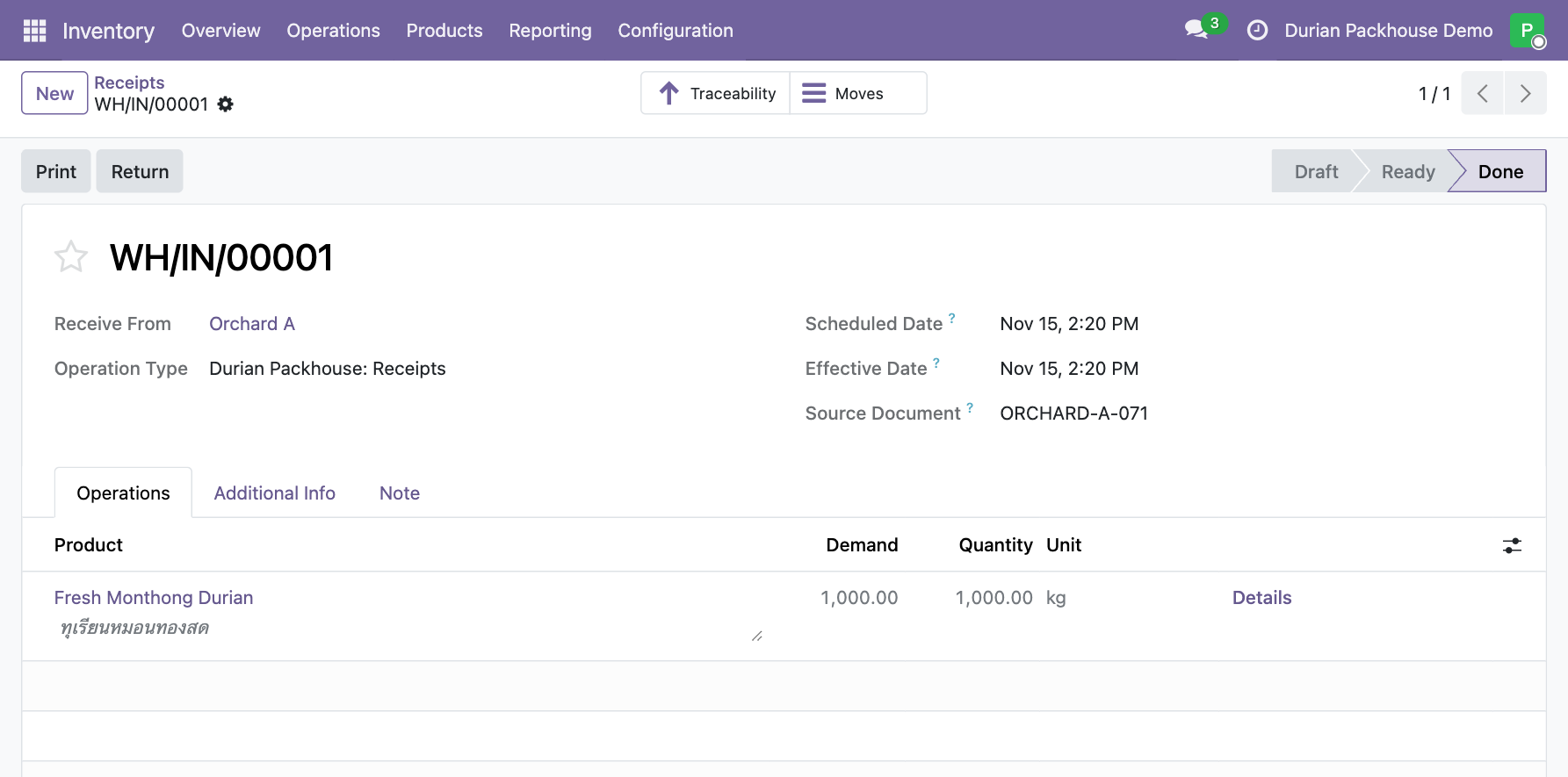
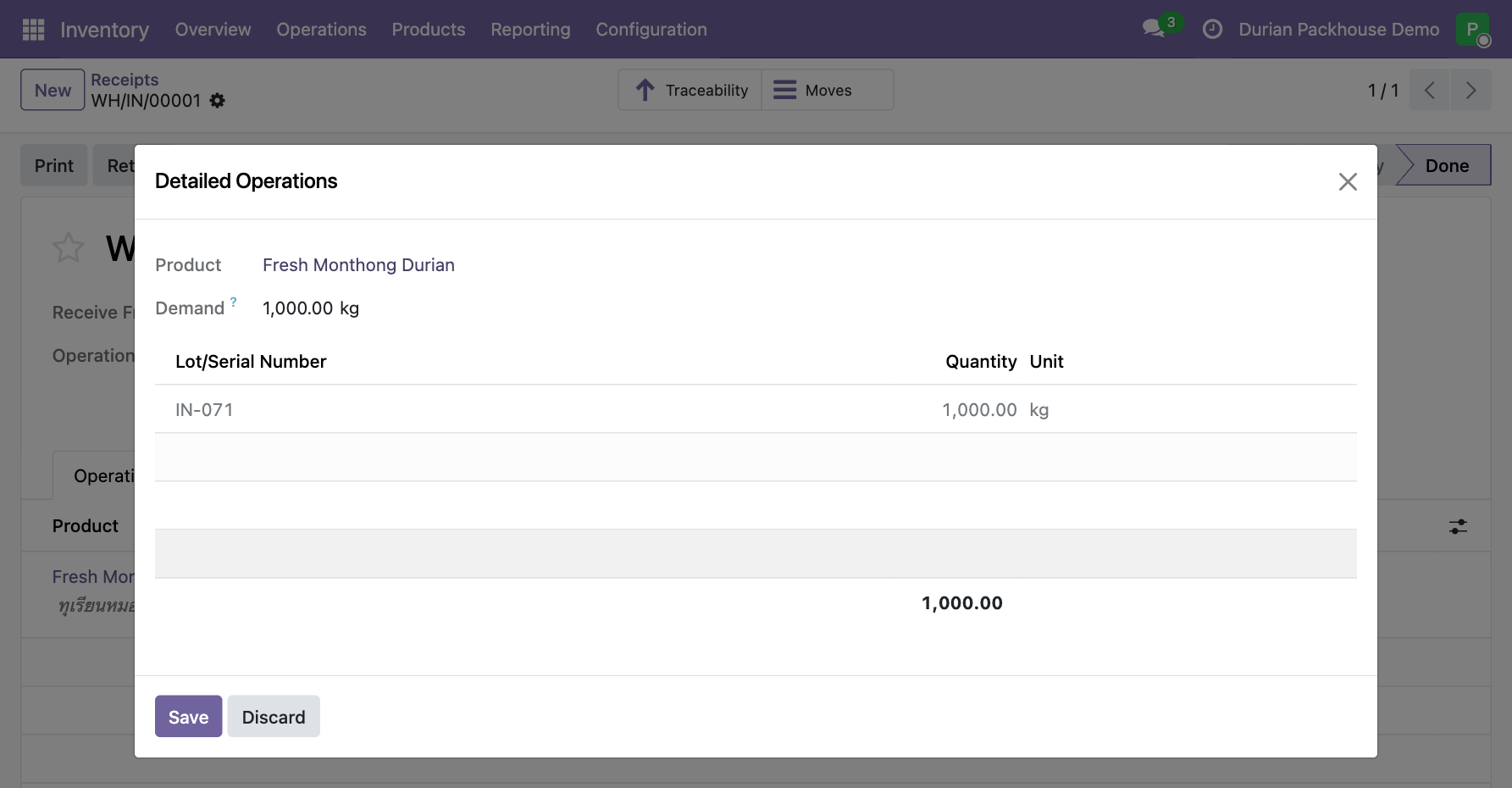
For Orchard B, open receipt WH/IN/00002 and the IN-072 line details.
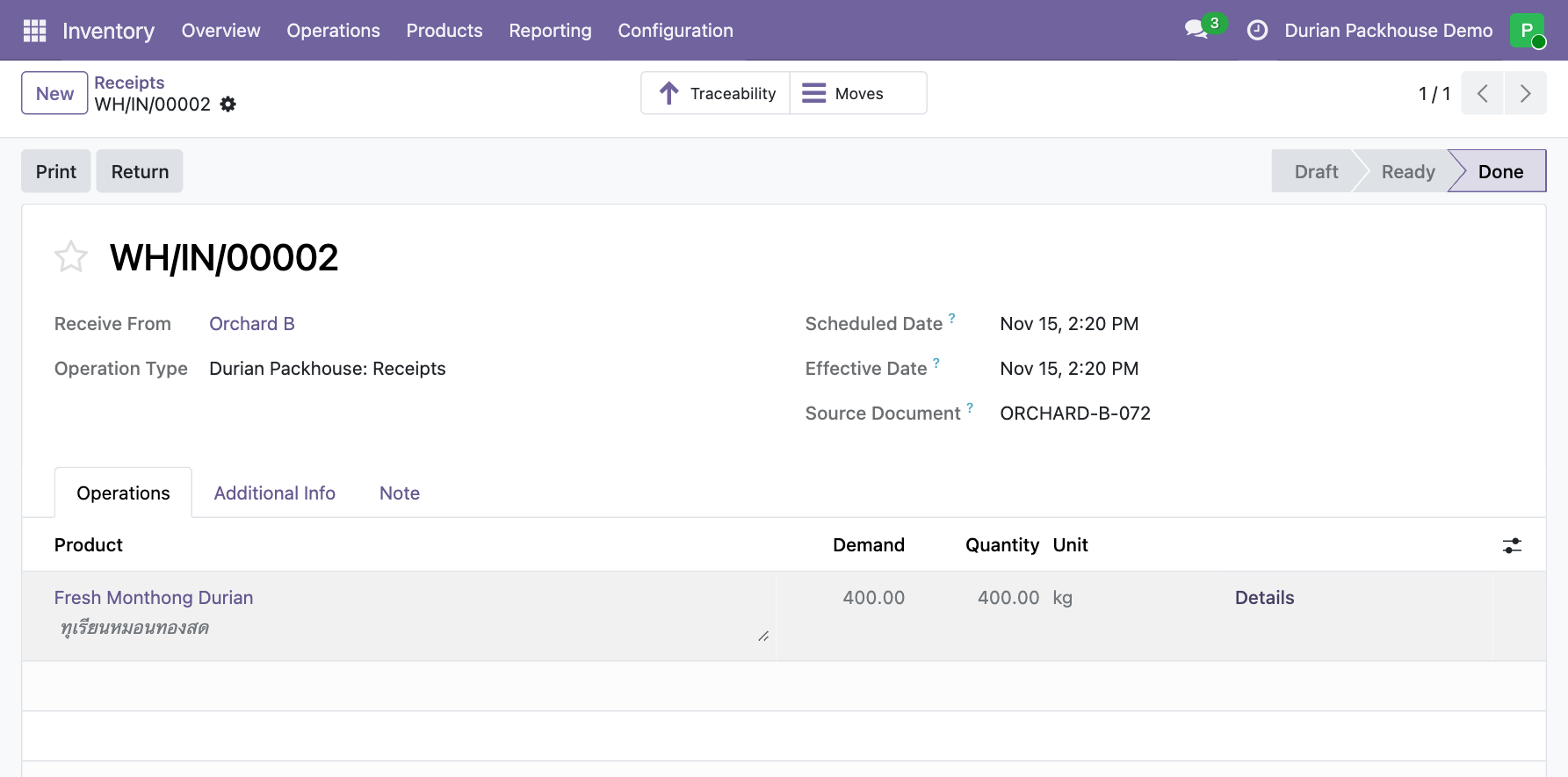
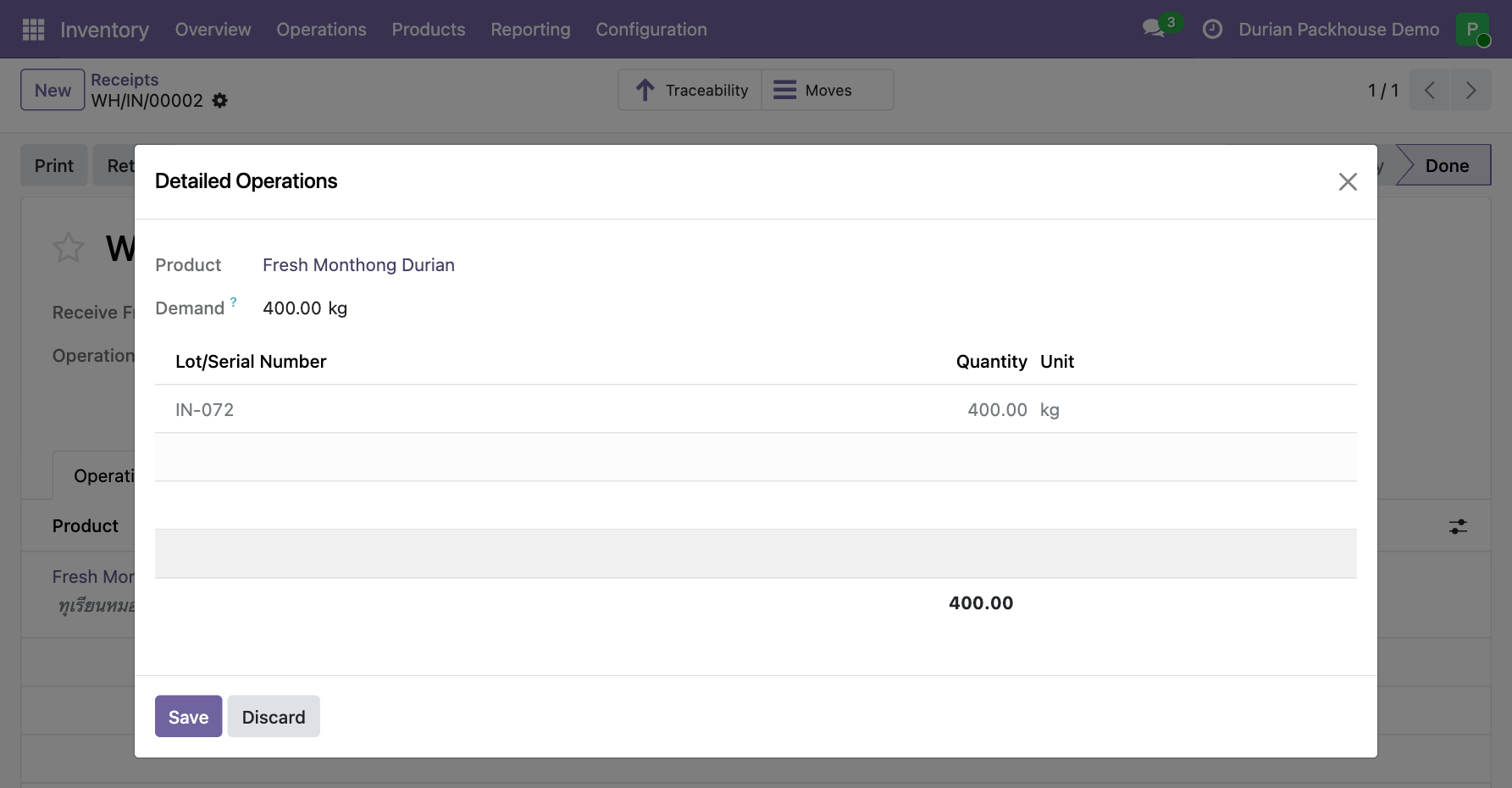
If you buy through an aggregator, use the receiving paperwork to identify the partner in Receive From and record the orchard or plot identifier on evidence linked to that lot. In the exercise, both orchards deliver directly.
3. Pack PK-204 from two incoming lots
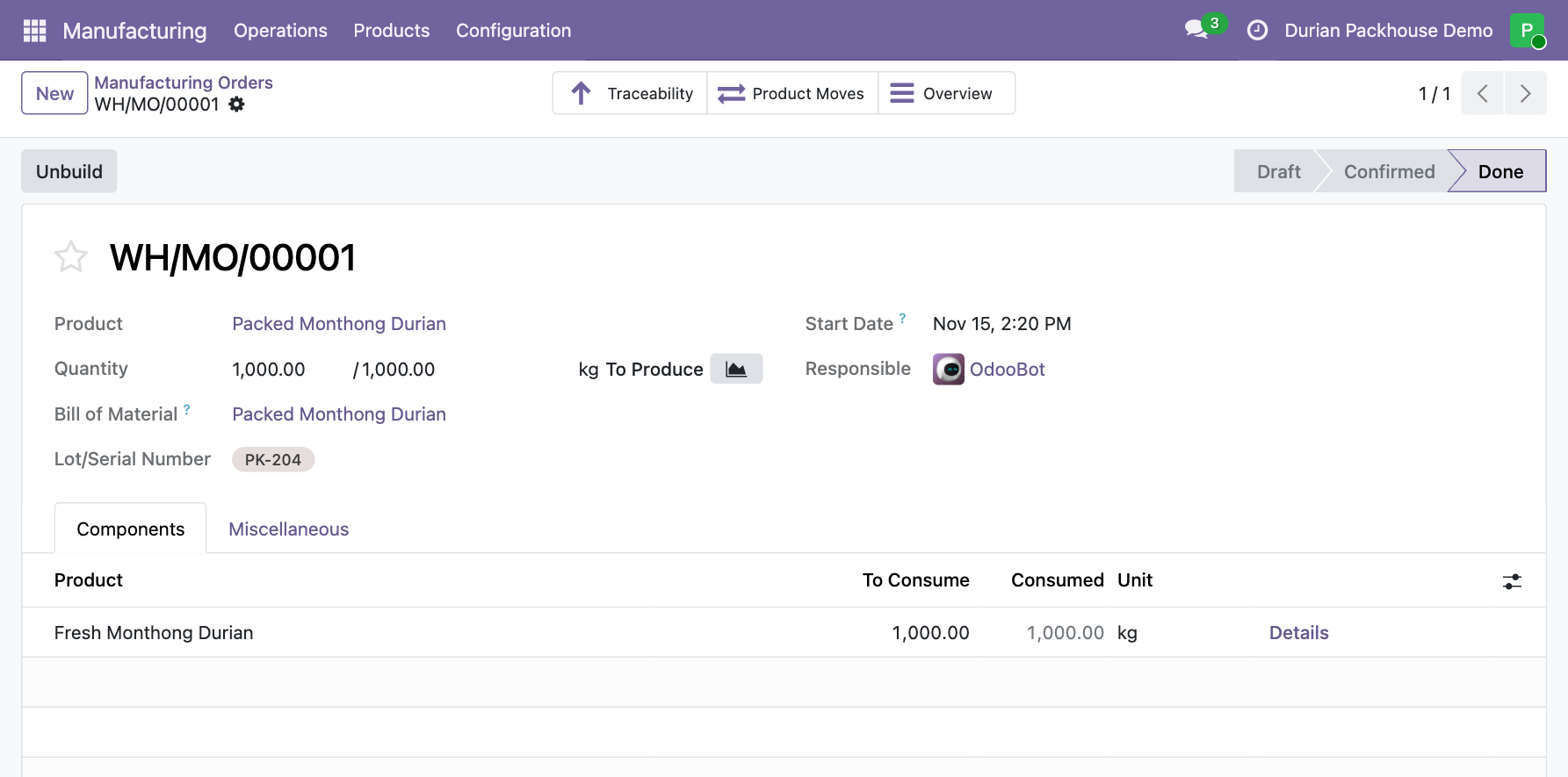
Go to Manufacturing › Operations › Manufacturing Orders. Create an order for 1,000 kg of Packed Monthong Durian, select the BoM, and click Confirm. Before completing the order, enter the finished lot and the incoming lots actually used.
- In Lot/Serial Number for the output, type PK-204 and select the option to create a lot with that number.
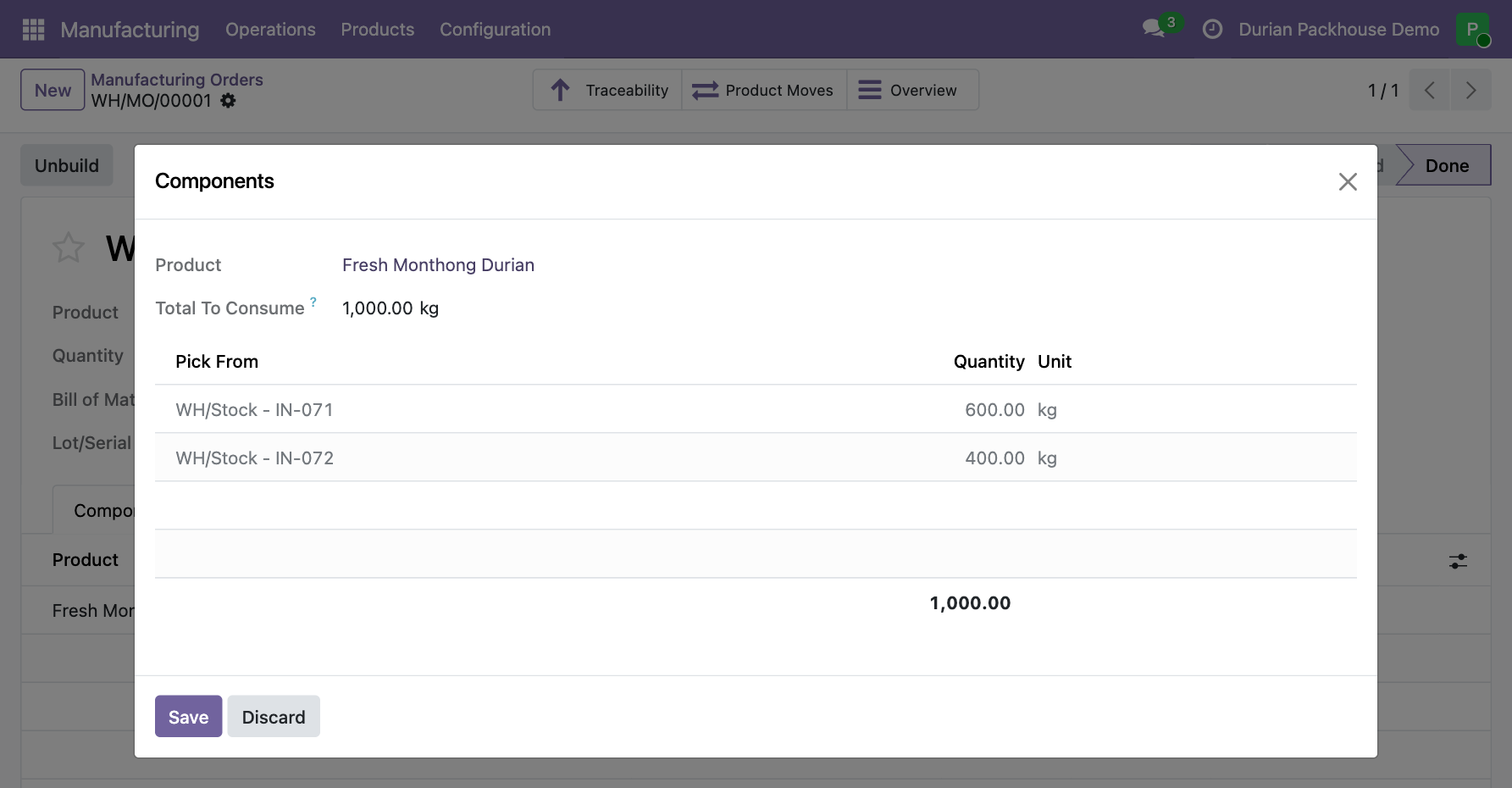
- In Components, open Details on the Fresh Monthong Durian line. In Pick From, record two lines for the fruit used: 600 kg from IN-071 and 400 kg from IN-072. If Odoo reserved everything from one lot, edit those lines to match what the team actually used. Save the details.
Check that the two lines add up to 1,000 kg, the packed weight in this run, and click Produce All. Once the manufacturing order is Done, reopen the component details and confirm that both lot numbers and their actual quantities were recorded. Odoo 19 documentation on manufacturing with lots
4. Deliver PK-204 under reference EXP-042
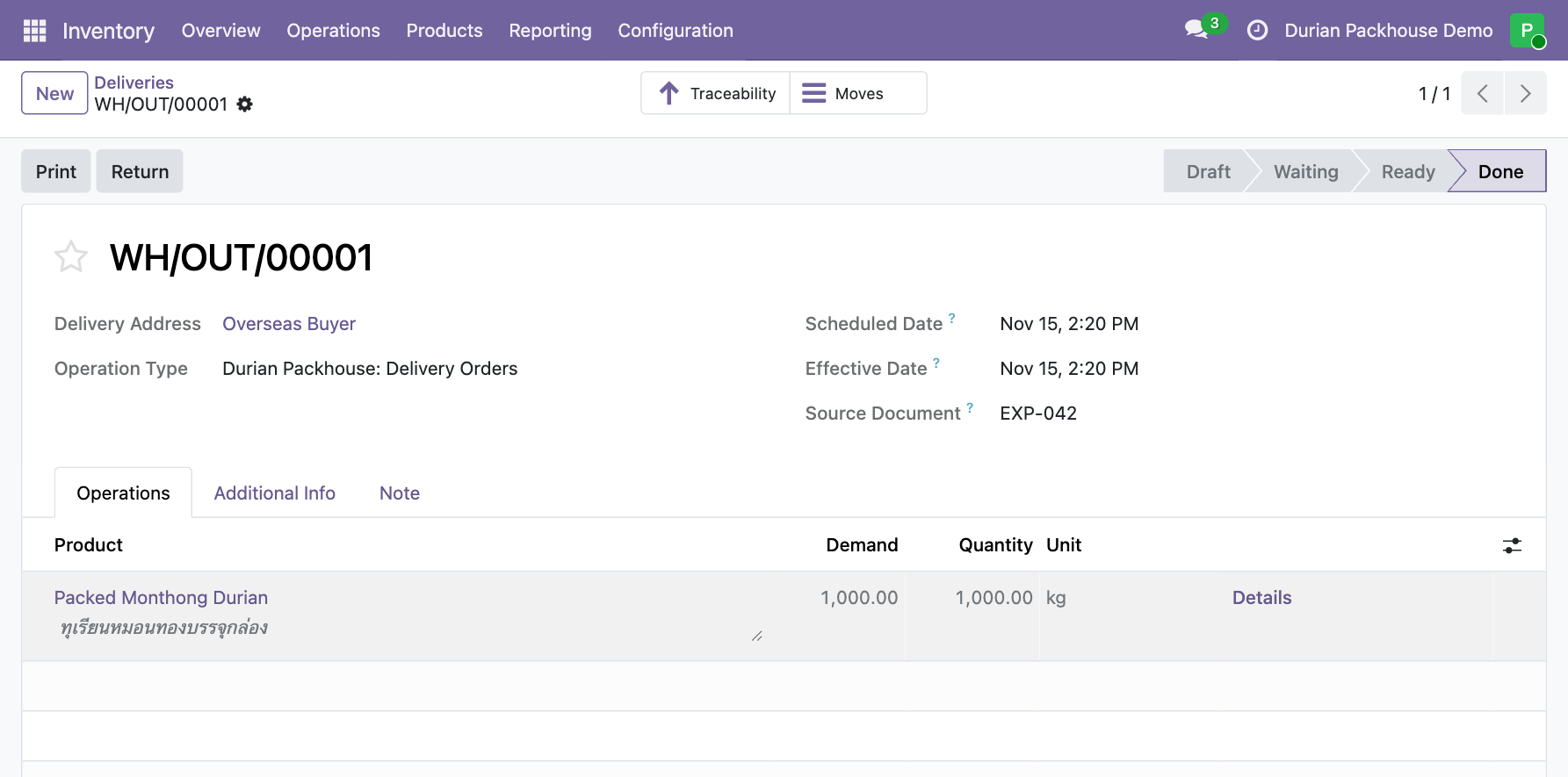
Go to Inventory › Operations › Transfers › Deliveries and create a delivery. Create the Overseas Buyer contact if needed, then select Overseas Buyer in Delivery Address and enter EXP-042 in Source Document. Add 1,000 kg of Packed Monthong Durian and save. If Check Availability appears, use it to check stock for the delivery.
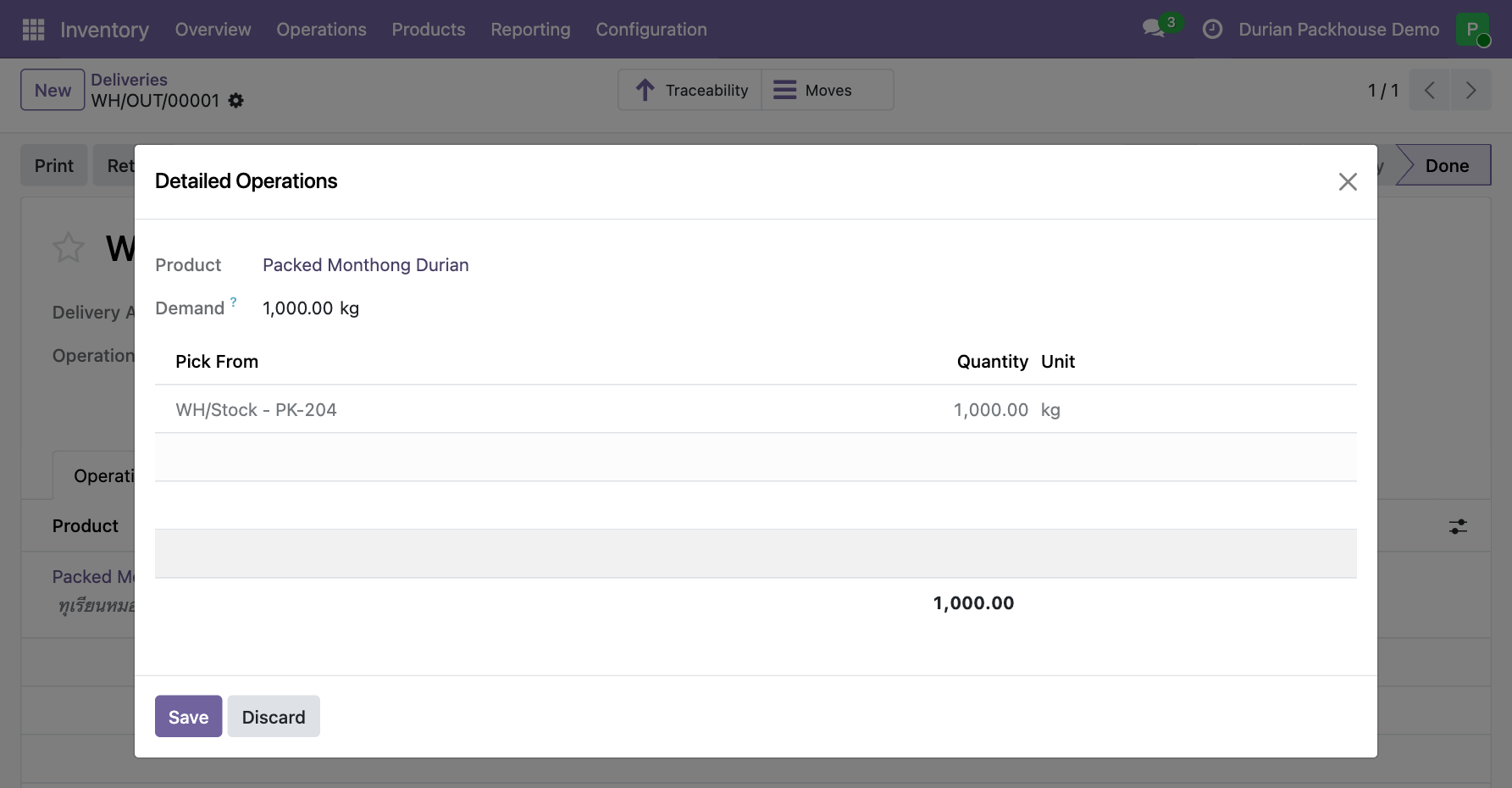
Open Details on the product line and check that the delivery uses 1,000 kg from PK-204. Correct the lot or quantity if it differs from what went into the container. Click Validate and check that the transfer is Done. Keep both references. Odoo assigns its own delivery number for warehouse records, and the team uses EXP-042 to match those records to the export paperwork. Odoo 19 documentation on choosing lots for delivery
5. Trace the delivery back to both orchards
Have someone who didn’t enter the transactions start with EXP-042 in Deliveries. Type EXP-042 in the search bar and choose Search Source Document for: EXP-042. Open the Done delivery and check Details for the quantity shipped from PK-204.
Then go to Inventory › Products › Lots / Serial Numbers. Find PK-204 for Packed Monthong Durian, open it, and click Traceability. Expand the WH/MO/00001 row for PK-204, then expand each component row for IN-071 and IN-072. The report shows receipt WH/IN/00001 from Orchard A and WH/IN/00002 from Orchard B. The WH/OUT/00001 row is the delivery for this lot. Open that delivery to see the export reference EXP-042. Open each receipt and check Receive From and Source Document. If the orchard name alone can’t identify the plot, use the reference to look up the source paperwork. Odoo 19 documentation on the Traceability report
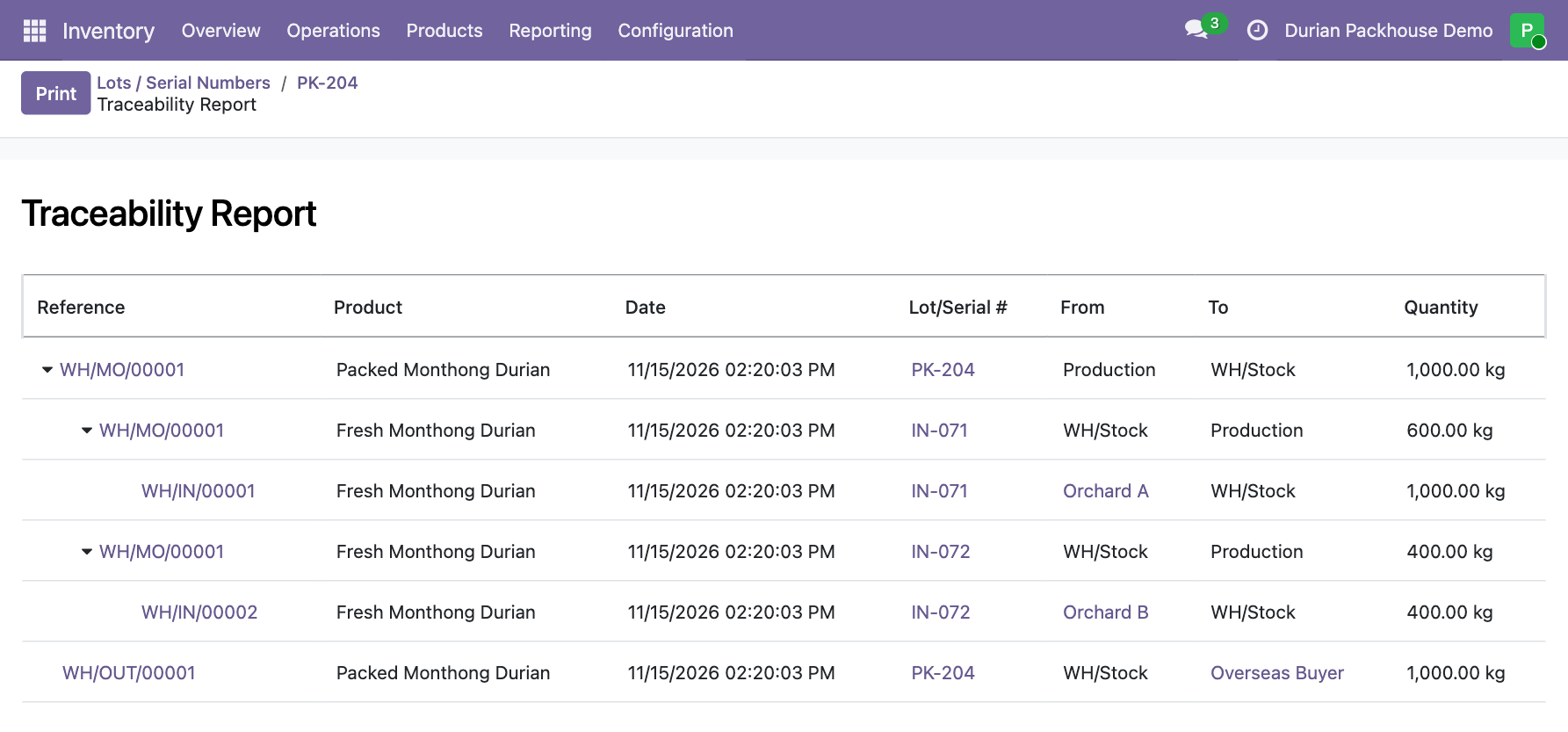
The delivery should show 1,000 kg of PK-204. The manufacturing order should show 600 kg of IN-071 from Orchard A and 400 kg of IN-072 from Orchard B. The receipt for IN-071 shows 1,000 kg because that’s what the orchard delivered. The 600 kg on the manufacturing order is what this packing run used.
6. Find where the rest of IN-071 went
Start with the 400 kg of IN-071 still in stock. Create a second manufacturing order for 350 kg of PK-205, use 350 kg from IN-071, and complete the order. Then go to Inventory › Operations › Adjustments › Scrap. Record 50 kg of Fresh Monthong Durian from lot IN-071 as scrap, select WH/Stock as the source location for the exercise, and click Validate. Create a delivery order for 350 kg of packed durian to Overseas Buyer. Enter EXP-043 in Source Document and leave the order in Draft to represent the planned shipment of PK-205. Odoo 19 documentation on scrapping inventory
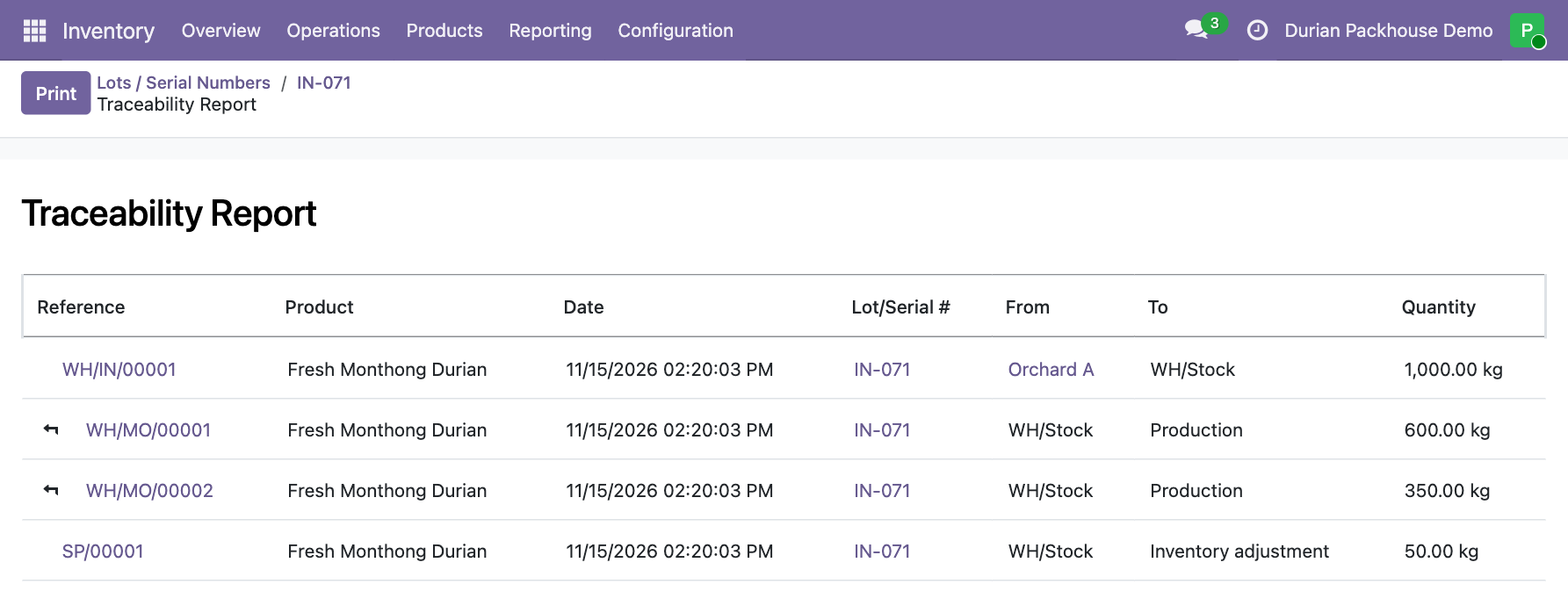
Open Traceability for IN-071 and look for the two manufacturing orders and scrap order SP/00001. Open WH/MO/00002 to see that it produced PK-205, or click the small bent arrow to the left of the order reference to see the packed lot in a related traceability report. The movement quantities 600 + 350 + 50 add up to the 1,000 kg received. Open lot PK-205 and check its on-hand quantity and location. Check that EXP-043 is still in Draft. A completed delivery is the warehouse record that shows goods have shipped.
What the records let you tell the border team
The records show that Orchard A and Orchard B supplied fruit for PK-204. To identify which orchard supplied a particular carton, keep records at carton level. Decide where to record or link the container number, plot identifiers, phytosanitary documents, and hold or release approvals in your own workflow. For example, link the container loading record to EXP-042 and have the person responsible for release record the decision against the supporting evidence. The lot report shows movements recorded in Odoo. Checking whether a shipment meets the requirements for export takes a review of the shipment’s underlying evidence.
Give another person just EXP-042 and PK-204. Ask them to find both receipts, give the weight used from each orchard in PK-204, and check whether PK-205 has shipped. If they hit a reference they can’t look up, write down the screen and the missing information so you can fix the record before the next drill.