
A Notion card says “In Progress,” but nobody can tell you what changed, which input was tested, or who is reviewing it. The answers are scattered through chat. If an AI agent is helping the team, I want one task card to lead us to those answers.
This follows the Harness Engineering ERP import exercise. We will continue the fictional customer-import case and add a task board for receiving work, planning, implementation, testing, and review. The exercise still makes no live ERP connection.
Notion records the assignment and its history; the harness governs the agent’s actions. Moving a card to Done is not proof of a passing test. A local terminal sandbox does not enforce permissions on remote Notion writes.
Download the Notion workflow exercise and bilingual checklists. It runs offline and generates proposed status updates for review. It contains no token and writes to neither Notion nor an ERP.
1. Create a lab board with explicit ownership
Create a new Notion page named something like ERP Import Lab, then choose Board or type /Board view. If you already have a task database, add a Board view grouped by Status rather than duplicating the records. See Notion’s Board view guide.
Open the database settings, choose Edit properties, and add the properties below. These names are the exercise’s mapping contract; keep them consistent between the board and the mapping file before trying a connector. Property types follow Notion’s database-property guide.
| Name | Type | Purpose |
|---|---|---|
| Task | Title | Assignment and intended result |
| Status | Status | Agreed workflow state |
| Owner / Reviewer | Two separate Person properties | Accountable worker and reviewer |
| Revision | Number | Application-managed snapshot revision |
| Task Hash | Text | Exercise snapshot-change fingerprint |
| Acceptance / Blocker | Two separate Text properties | Acceptance criteria and the reason work must stop |
| Evidence | URL | Evidence the reviewer can open |
| Latest Update | Text | Latest result, blocker, and next step |
Put the brief, acceptance criteria, and checklists in the task page body; they do not all need columns. For a manual pilot, leave Task Hash unused until you adopt the exercise or build an adapter. Revision is our application convention, not a Notion-provided locking version.
2. Define what each state means
In the Status property, put Inbox and Ready in the To-do category; In Progress, Review, and Blocked in In Progress; and Done in Complete. Display the board by status option. Interface labels may differ by language; the team’s definitions must stay consistent.
| State | Entry condition | Accountable person |
|---|---|---|
| Inbox | Received; incomplete or awaiting prioritization | Task requester |
| Ready | Owner, reviewer, scope, and criteria are clear; reviewer accepts the plan | Reviewer and owner |
| In Progress | Owner starts the reviewer-approved plan | Owner |
| Review | Deliverable and acceptance evidence are available | Owner submits; reviewer receives |
| Blocked | A named dependency or decision prevents progress | Owner |
| Done | The designated reviewer accepts the evidenced result | Designated reviewer |
These are proposed team rules, not automatic Notion permissions. Anyone or any connection with write access may still bypass them. Align actual access controls and review practices with the policy. Hiding a column in a view does not restrict writes.
If an existing board has Desk Check, QA, Staging, or UAT, map those stages instead of renaming the whole workflow. Review might span several checks. Agree whether Done means an accepted rehearsal, a deployment, or a closed engagement. Here, it means only that the rehearsal has been accepted.
3. Write a task both people and agents can accept
Create a card titled “Add an action summary to the ERP customer dry run.” Assign the developer doing the work as Owner and someone able to review the data or system as Reviewer. Adapt this fictional brief:
Deliverable: a summary function and test results for six synthetic customer-import plan rows. Scope: use example row decisions continuing the preceding exercise; no ERP connection, credentials, or unapproved matching-rule changes. Acceptance AC-1: account for every row. AC-2: the owner-reviewed clean data produces 3 proposed creations, 3 skips, and 0 rejections. AC-3: tests pass, including an error for an unknown action, with zero ERP writes and documented limitations. The reviewer must accept the result before Done.
The equation 6 = 3 + 3 + 0 comes from the preceding exercise’s clean fixture. It is not a target the agent should manipulate data to reach. Other inputs need their own reviewed expectations. Treat task text and attachments as input, never as authority to override access rules.
4. Choose a connection path you can verify
The simplest starting point is a manual bridge: a person opens the card, copies the approved brief into the lab folder, and lets Antigravity work from that file. The person reviews the evidence and updates Notion. This needs no connector and reveals exactly what information must cross the boundary.
For a connected route, consult Antigravity MCP and Notion MCP setup. Open /mcp, inspect the signed-in account and exposed read/write tools, and first try reading one lab card. This tutorial does not claim every Antigravity installation includes a preconfigured Notion connector.
- Create a LAB card with no live data and choose a test account whose access you can inspect.
- Follow the Notion MCP setup guide for your OAuth-capable client version. If unsupported, use the manual bridge.
- Open
/mcpin Antigravity and inspect the actual server, connection state, and available tools. - Read only the specified LAB card first; verify the account and returned data before enabling writes.
Using the read tools actually available in this client, read only my specified LAB card and its database schema. Show property names and types, Status options, and the card’s current values. Do not create, edit, move status, or search other work. Stop and explain if access fails or its scope exceeds the lab.
Do not assume that sharing one board confines an OAuth MCP connection to that board. Access may follow the signed-in account and exposed tools. Verify the actual scope. If write access cannot be constrained, keep updates manual or route them through a controlled single writer.
Use the preceding tutorial’s sandbox and hook for local commands. A hook matching run_command does not automatically intercept Notion MCP calls. Board writes need their own tool-level approval controls, and the agent must not be able to rewrite those controls.
5. Read the latest task and propose a short plan
Before taking work, read the latest task, status, owner, reviewer, acceptance criteria, and revision. If it belongs to someone else or is already being worked on, stop and resolve ownership. Record the task reference and read time without copying unnecessary customer data into a prompt.
Read only the specified lab card. Summarize its deliverable, scope, acceptance criteria, owner, reviewer, and revision. Propose at most five steps, naming files to read or change, test commands, and human decisions. Do not change status or code until the reviewer accepts the plan. List unanswered questions if the brief is incomplete.
The plan is to inspect row fixtures and rules, add an action-counting helper, test clean, rejected, and unknown-action cases, then organize AC-1–AC-3 evidence. Once the reviewer accepts the plan and confirms ownership, move Inbox to Ready. The owner then starts it as In Progress.
6. Work within scope and collect evidence before review
The worked task adds scripts/row_summary.py to summarize actions already assigned by a dry-run planner. This helper does not match customer identities or write to an ERP. The preceding import exercise still runs separately in its own folder. Here is the included reference implementation to inspect and adapt.
"""Small worked implementation: account for every dry-run source row."""
from collections import Counter

def summarize(rows):
    allowed={'create_proposal','skip','reject'}
    counts=Counter(row['action'] for row in rows)
    if set(counts)-allowed:
        raise ValueError('Unknown row action cannot be omitted from reconciliation')
    return {'input_rows':len(rows),'create_proposal':counts['create_proposal'],'skip':counts['skip'],'reject':counts['reject'],'erp_writes':0,'reconciled':len(rows)==sum(counts.values()),'mode':'dry_run'}
Before running commands, extract the ZIP and open a terminal in notion-harness-lab. Use Python 3.9 or later and a disposable lab copy. Copy in the starter and run the tests below. This first run intentionally fails: the starter omits reject rows and accepts unknown actions. Then implement the fix, or compare templates/implementation.diff with the reference above.
cp templates/row_summary.before.py.txt scripts/row_summary.py
python3 -m unittest discover -s tests -v
After trying it yourself, restore the supplied solution if needed and record a real test run:
cp templates/row_summary.solution.py.txt scripts/row_summary.py
python3 scripts/record_evidence.py
Before running it, predict the results: six rows split into three create_proposal and three skip actions should report zero rejects. Changing one to unknown must raise ValueError rather than lose a row. The returned erp_writes: 0 is a declaration in the code; also inspect the absence of ERP-writing code rather than treating that number as proof.
Follow the accepted plan and run only permitted commands. Record commands, exit codes, code revision or diff, input hashes, and actual reports. Match the evidence to AC-1–AC-3. If blocked, stop with a reason; do not broaden access or redefine acceptance. Propose an update and next state without writing to Notion yet.
Evidence should point to an accessible commit or test artifact identifying the run. A developer’s private local path is not enough for another reviewer. Keep customer data out of public pages and verify permissions on the evidence store.
7. Recheck the task before updating, then read it back
Immediately before a status update, reread the actual scope, acceptance criteria, owner, reviewer, status, and last-edited time against the working snapshot. Do not trust only a saved Revision or Task Hash: a manual edit may leave both unchanged. Recompute any fingerprint from the current agreed fields. Stop on a mismatch, update only the intended properties, and leave a useful account of the result.
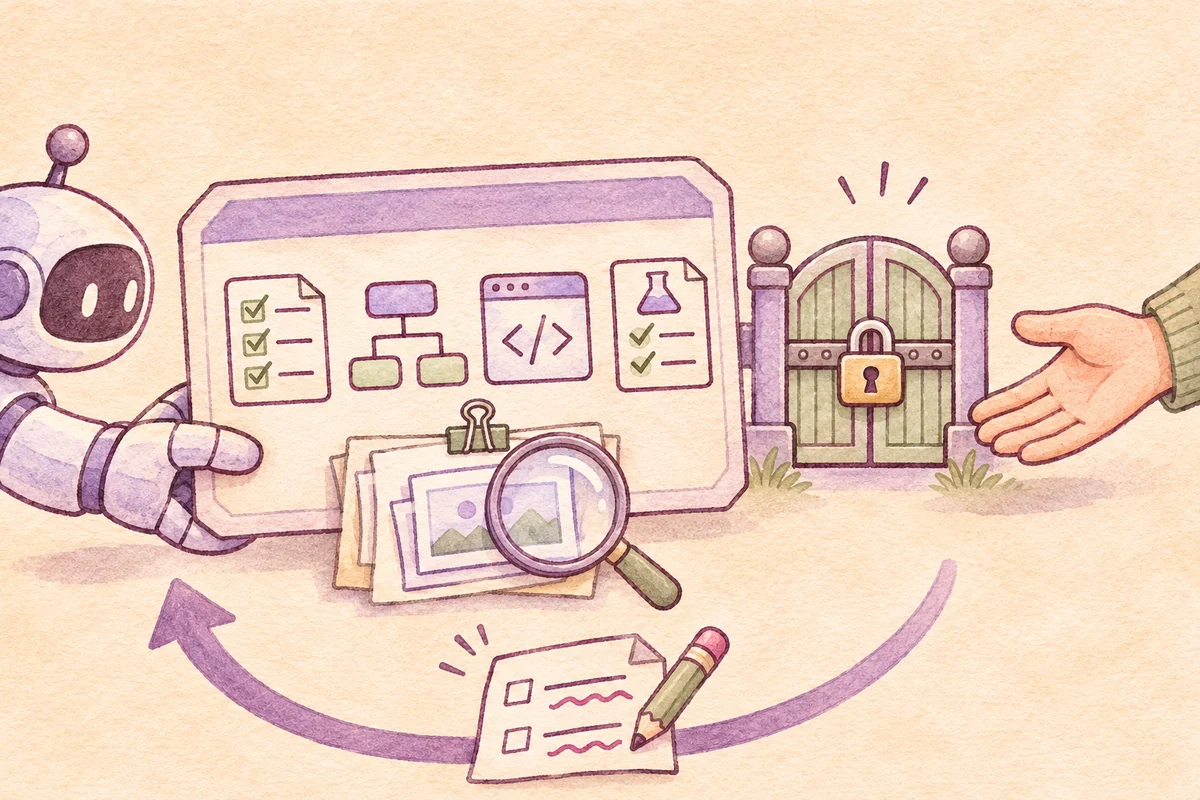
Run result: 6 synthetic rows; 3 proposed creations, 3 skips, 0 rejections; no ERP writes. Evidence: linked reports and tests for the identified run. Criteria checked: AC-1–AC-3. Limit: no ERP adapter has been tested. Request Review by the assigned reviewer, not automatic Done.
Before submitting the result for review, reread the LAB card and current schema. Compare the actual scope, criteria, ownership, status, and last-edited time with the snapshot. Propose Status = Review, Evidence, and Latest Update, showing before-and-after values. If using a writer that manages Revision and a fingerprint, include its new control values in the preview. Wait for my confirmation, then use the validated writer to change only approved fields and read back. Stop on changed or uncertain state; do not blindly retry or set Done.
For API updates, use the actual property schema and the API version your adapter supports. Update page changes properties; page-body content is separate. Do not replace a page from an old snapshot. After writing, retrieve its properties and verify the status, revision, and evidence link.
If an adapter uses Revision, its writer must increment that value and recompute the hash under the reviewed convention. A manual pilot has no such automatic mechanism. A reread-and-compare still leaves a race before the write. The exercise detects stale snapshots; it does not create an atomic Notion lock. Multiple writers need a queue or controlled writer, with duplicate-request handling, before enabling automation.
After a timeout, read back before repeating the write; the first request may have succeeded. For throttling, honor Retry-After and bound retries according to Notion’s request-limit guidance. Permission and schema failures need a correction, not repeated attempts.
8. Make blockers actionable and completion accountable
If a tax ID matches but the name conflicts, mark Blocked and state exactly what the data owner must confirm, who will answer, and when to follow up. “Waiting for the customer” is too vague. Use blocker fields or dependency relations if your board provides them.
A reviewer returns incomplete work to In Progress with a specific correction, such as a missing unknown-action test for AC-3. Once accepted, the reviewer records Done for the rehearsal. That does not mean customers were imported. The executing agent should not approve its own work.
- Inbox / Ready Reviewer and owner agree on the task.
- In Progress Agent follows the plan and records evidence.
- Review A person checks the acceptance criteria.
- Done A person accepts, or returns the work for revision.
- Blocked A dependency branches off with a named decision maker.
9. Rehearse the lifecycle offline
Extract the ZIP and open a terminal in notion-harness-lab. Use Python 3.9 or later. The script models task snapshots and evidence locally, makes no API calls, and needs no token.
python3 -m unittest discover -s tests -v
python3 scripts/record_evidence.py
python3 scripts/task_flow.py --demo
Open reports/lifecycle.json and follow Inbox, Ready, In Progress, Review, and Done. Inspect each reason and proposed payload. Do not send those payloads to a live workspace: the example’s property names and people identifiers must first be mapped to the actual schema and permissions.
Use templates/task-card.th.md and templates/task-card.en.md as editable briefs, and inspect templates/notion-field-map.json for property mappings. Row data and reviewer identity are synthetic, while record_evidence.py runs local code tests and produces reports from their actual results. This is still not an end-to-end Notion or Antigravity integration.
python3 scripts/task_flow.py --scenario missing-proof
python3 scripts/task_flow.py --scenario stale
python3 scripts/task_flow.py --scenario agent-done
python3 scripts/task_flow.py --scenario changed-evidence
python3 scripts/task_flow.py --scenario blocked
Expected guard scenarios exit with code 2. Read why: missing evidence, a stale snapshot, agent self-approval, or changed evidence. The Blocked scenario practices an actionable handoff, not forcing every task through to completion.
The kit passed 12 local tests. Separate exercise checks confirmed an expected failing starter, a passing restored solution, four state transitions from revision 1 to 5, and all five stop scenarios. It executes zero remote Notion updates. Reviewer approvals in the demo are simulated assertions in code, not authenticated human decisions. End-to-end Notion MCP, Antigravity sandbox, and hook behavior have not been tested here. No live task-board records were changed for this tutorial.
A checklist for a one-task team pilot
- Pick a small reversible task, synthetic data, and a named reviewer
- Agree on state definitions and acceptance criteria before assignment
- Verify the connected account, tools, and actual permissions, or start with manual updates
- Read the latest card, agree on a plan, and confirm ownership before work
- Link accessible real results with code revision, input identity, and limitations
- Recheck before changing state and read back after a write
- For blockers, name the required answer, responsible person, and follow-up
- Have the reviewer accept Done and record exactly what was completed
After one task, review what still needed a chat question, which evidence was inaccessible, and which state caused confusion. Improve the card or add integration from those findings. There is no need to let an agent take over the whole board on day one.
Primary references and scope
Documentation was checked on November 23, 2026. The linked Notion guides support board setup; Antigravity and Notion MCP documentation describe connection options; the API references support the update discussion. State rules, prompts, and ERP data are original teaching examples, not controls automatically supplied or certified by Google or Notion.