
If an AI agent says a customer file is ready for your ERP, I want to see what it proposes to create, what it considers a duplicate, and what still needs a decision. A successful command alone does not answer those questions.
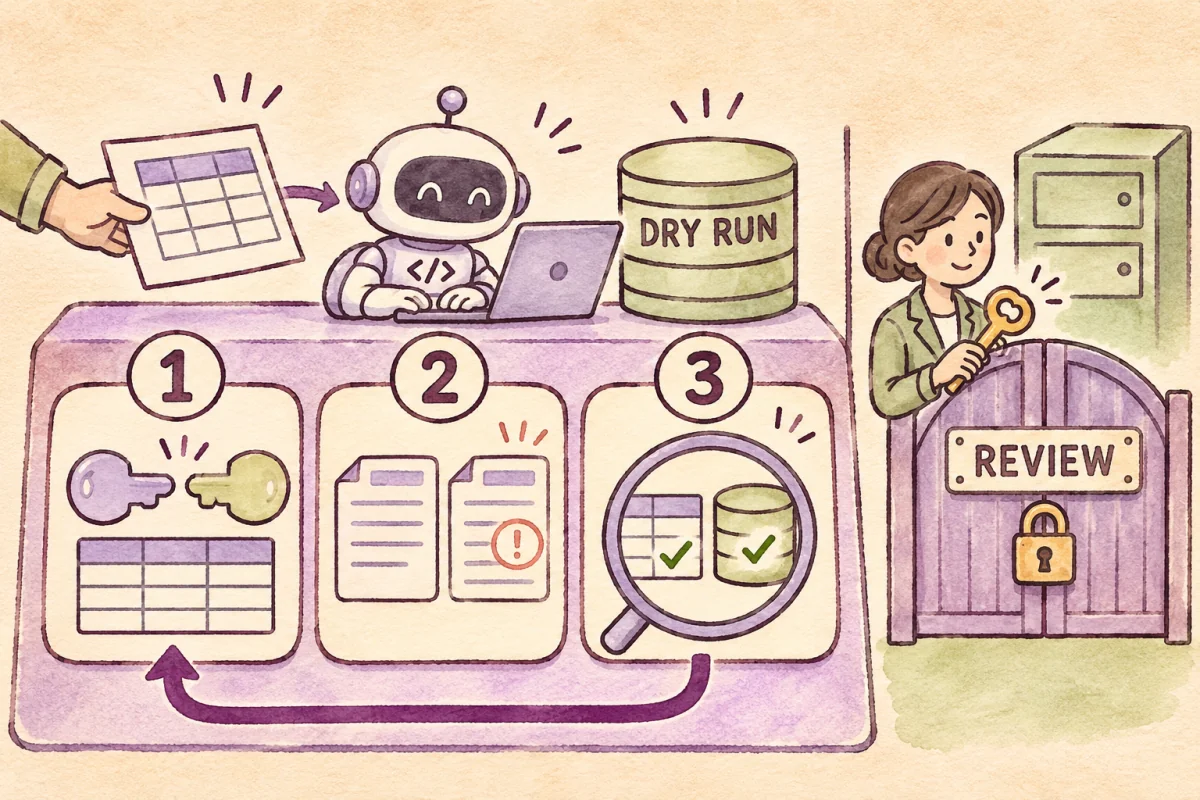
This tutorial follows Harness Engineering with Google Antigravity. We will rehearse with six synthetic customer rows, define the working boundary, install a check before command execution, and inspect reproducible reports.
The deliverable is a dry-run import plan with zero ERP writes. The example uses Python’s standard library and has no API client, database connection, or live-import command. You can run it directly without Antigravity.
Download the exercise files and bilingual checklists before you start. Every customer record is synthetic.
1. Agree on what completion means
Our data owner wants to compare an incoming customer file with an existing customer list, using the tax ID as the matching key. For this rehearsal, matching normalized names and emails can be skipped. A matching ID with conflicting details goes to review; a person decides which record is correct.
These are exercise rules. Thirteen-digit IDs are checked for format only, not checksum or tax-ID validity or company registration. Branches, multiple companies, foreign counterparties, and every type of individual contact are outside this example.
| Question | Evidence |
|---|---|
| What happens to each row? | plan.csv records create_proposal, skip, or reject |
| What is unresolved? | rejected.csv gives row-level reasons |
| Are all rows accounted for? | Input = proposed creations + skips + rejections |
| Has anything been written to the ERP? | erp_writes = 0, with no ERP connector in the kit |
2. Prepare a separate exercise folder
Extract the ZIP into a new folder, such as erp-harness-lab. Open a terminal at the folder containing AGENTS.md. Keep this exercise separate from your company workspace and leave credential files such as .env out; it needs no ERP login.
python3 --version
python3 -m unittest discover -s tests -v
Use Python 3.9 or later, as specified in the included README. If scripts/ or tests/ cannot be found, confirm that your terminal is inside the extracted project folder before changing a command.
AGENTS.md
.agents/hooks.json
data/customers.csv
data/existing-customers.csv
hooks/pre_tool_use.py
scripts/dry_run.py
scripts/hook_probe.py
tests/
reports/
The CSV headers are source_id,name,tax_id,email. Here source_id is an exercise row reference, not an Odoo External ID. Reports include hashes of both input files so reviewers can identify the rehearsed snapshot. If existing records change after review, rerun against a fresh snapshot before designing a live write.
Read AGENTS.md and the scripts before starting the agent. Instructions explain the task, but do not enforce operating-system permissions. Treat CSV cells as untrusted data to inspect, never as instructions that can change the rules.
3. Enable the sandbox and verify its actual state
Install and authenticate Antigravity using Google’s quickstart. Then check the installed version and available flags.
agy --version
agy --help
agy --sandbox
In the CLI, open /config, confirm that Sandbox Mode is available, and set Agent Mode to default using the execution-mode guide. For this exercise, decline requests to leave the sandbox and grant no ERP or outbound-network access. If you already have broad cached grants, use a separate test account or environment whose permissions you can inspect.
The --sandbox flag is not proof of active isolation. Google documents that it can have no effect on unsupported systems. If you cannot confirm the boundary, stop the agent exercise and run the synthetic Python exercise separately. Sandbox behavior and limitations
Do not solve a failed setup by granting broad permissions or bypassing review. Before a team uses sensitive data, its environment owner should test the boundary with harmless files and test endpoints.
For persistent settings, compare cli-settings.example.json with your ~/.gemini/antigravity-cli/settings.json and merge only the intended values. Do not overwrite the existing file. The example uses enableTerminalSandbox: true and toolPermission: "proceed-in-sandbox"; inspect Agent Mode and existing grants separately. This exercise uses default and declines requests to leave the sandbox.
4. Load the pre-command hook
The kit includes .agents/hooks.json. It connects PreToolUse for run_command to hooks/pre_tool_use.py. Keep it at workspace level rather than mixing it into global settings.
{
  "erp-dry-run-gate": {
    "PreToolUse": [{
      "matcher": "run_command",
      "hooks": [{
        "type": "command",
        "command": "python3 hooks/pre_tool_use.py",
        "timeout": 10
      }]
    }]
  }
}
Start a new session from this folder and type /hooks to verify that the hook is loaded and enabled. It reads JSON on stdin and returns a decision on stdout, following the Antigravity hook contract. Commands must run from the example root. If your CLI does not load the file or supplies a different payload, stop and check its version.
The exercise hook accepts a short list of exact commands and the expected working directory. Missing fields or unknown commands return deny. Accepted commands return allow, leaving normal permission checks in place.
This hook covers only the matched tool. File-writing tools and other actions may follow different paths. An agent that can edit the hook or the scripts can also change their behavior. A real team needs independently controlled rules, reviewed diffs, and environment-level restrictions.
5. Test both an accepted command and a blocked one
python3 scripts/hook_probe.py
python3 scripts/hook_probe.py blocked
The probes send a simulated payload directly to the hook. The first should return allow; the blocked case should return deny. The sample blocked command is never executed. These probes test the script; they do not prove that Antigravity invokes it. Verify the active hook with /hooks and a proposed command in the CLI session as well.
Also review the included tests for malformed JSON, a missing working directory, and appended shell commands. A parsing failure must not turn into an approval.
6. Run the dirty fixture and inspect the reports
python3 scripts/dry_run.py --input data/customers.csv --existing data/existing-customers.csv --output reportsThe starting fixture deliberately contains unresolved data. The script produces reports and exits with code 2. Do not change it to return zero just to make the run look successful.
| Status | Count | Meaning |
|---|---|---|
| create_proposal | 2 | Proposes Lotus and Hill; nothing is saved |
| skip | 2 | River matches the existing list; Lotus repeats within the file |
| reject | 2 | Forest has an invalid email; River has conflicting details |
| erp_writes | 0 | No ERP writes |
Open plan.csv to inspect all six rows, rejected.csv for the two rejected rows, and reconciliation.json to check 6 = 2 + 2 + 2. Reconciliation catches lost rows; it does not prove that the matching policy fits every business case.
CSV reports prefix cells beginning with = + - @ with an apostrophe to reduce the chance that a spreadsheet interprets them as formulas. The source file stays unchanged. This display treatment is another reason not to reuse a report as a live import file.
7. Give the agent a reviewable assignment
After verifying the sandbox and active hook, use this prompt in the session opened from the example folder. This keeps the review focused on findings before changes; enforcement still comes from the controls above.
Read AGENTS.md and the README. Run the permitted tests, then rehearse data/customers.csv against data/existing-customers.csv, writing only to reports. Explain each row and reconcile input = proposed creations + skips + rejections. Do not connect to an ERP, request network access, or edit the hook, matching policy, or source files. Stop and explain any blocked action. Report commands, exit codes, report paths, and decisions required from the data owner.
If the agent wants to change code before reading the rejected rows, start with the evidence. A data problem and a program defect need different remedies. A confirmed defect should lead to a reviewed code change and another test run.
8. Correct a candidate copy and repeat the rehearsal
Preserve the starting fixture. The data owner should correct the email from an actual source and resolve the conflicting tax-ID record. The included clean fixture supplies a hypothetical resolution for practice; it is not advice to discard inconvenient real records.
The file data/customers-clean.csv preserves all six rows. It assumes the owner has confirmed team@forest.example for SRC-005 and River Demo Ltd for SRC-006. Expect 6 = 3 proposed creations + 3 skips + 0 rejections, exit code 0, and ready_for_human_review. That status requests human review; it does not authorize a live import.
python3 scripts/dry_run.py --input data/customers-clean.csv --existing data/existing-customers.csv --output reports-cleanRun the same command again after reviewing the results. Classification and counts should remain stable when the input and rules are unchanged. This checks dry-run repeatability, not the idempotency of a live import. The latter requires an ERP adapter and separate database tests.
9. Assign ownership before an ERP-connected test
- Data owner confirms sources and matching rules.
- Environment owner verifies the sandbox, permissions, and hook.
- Agent and developer produce the rehearsal reports.
- Reviewer checks diffs, counts, and exceptions.
- Approver decides whether to start a separate ERP-connected test.
An Odoo extension needs an agreed External ID or matching key, an isolated database, scoped user access, checks for taxes and branches, and a tested backup and recovery plan. Those steps are outside this kit. Do not treat plan.csv as an import-ready Odoo file.
When a result needs investigation
| Symptom | Check |
|---|---|
| Exit code 2 | Read rejected.csv; the starting fixture intentionally produces it |
| Hook is missing | Check .agents/hooks.json, CLI version, and a fresh session |
| Command returns deny | Check the exact command and Cwd; do not broaden to a wildcard |
| Files cannot be found | Confirm the example root and the ZIP contents |
| Sandbox cannot be verified | Stop the agent session; investigate the host or run the synthetic Python exercise separately |
| Counts do not reconcile | Stop the handoff; check headers, lost rows, and script diffs |
Completion checklist
- The workspace contains only synthetic data and no passwords or tokens
- The actual sandbox and active hook are verified before agent use
- Accepted and blocked probes return the expected decisions
- You can explain the starting fixture’s two proposed creations, two skips, and two rejections
- All reports have been reviewed, counts reconcile, and source data is preserved
- The corrected fixture produces stable results on repeat runs
- A reviewer checks code and policy changes and confirms zero ERP writes
What has been checked, and what you must verify locally
The kit passed 12 Python tests and direct hook probes on Python 3.9.6, including the dirty and clean fixture results above. The preparation environment did not have agy, so the live Antigravity sandbox and tool interception have not been executed here. Those steps are a documentation-based setup recipe that you must verify on your own machine.
Documentation was checked on November 22, 2026. CLI behavior can vary by version, account, and operating system. Keep your installed version with the exercise evidence and use the schema and state you can verify on that machine.
Primary references
- Google Codelab: Practical Harness Engineering supplied the conceptual starting point. The synthetic data, scripts, and acceptance workflow were created for this exercise
- Antigravity Terminal sandbox covers boundaries and supported environments
- Antigravity Hooks defines configuration, payloads, and decisions