
The team logs 14 hours helping a client migrate data into an ERP system. Two of those hours went into fixing a file the team had prepared incorrectly, and the consultancy agreed to absorb that time. The client also approved THB 1,800 in travel expenses. Which of those entries should reach the customer invoice in Odoo?
The previous article covered using timesheets to track delivery costs and plan staffing. This time, I’ll follow those same hours to the invoice. Under time and materials (T&M), the client pays for eligible hours at agreed rates and for materials or expenses covered by the contract. Previous article on timesheets
Agree on billing terms before setting up the service
Specify rates by role or type of work, which work is billable, the billing cycle, and the process for approving hours beyond a cap. Agree on any advance approval for travel, what evidence the client needs, and whether you will charge at cost or at an agreed price. Odoo’s product settings help calculate the charges. The people responsible for the contract still need to approve scope and expenses.
Set up the service and link time to the sales order line
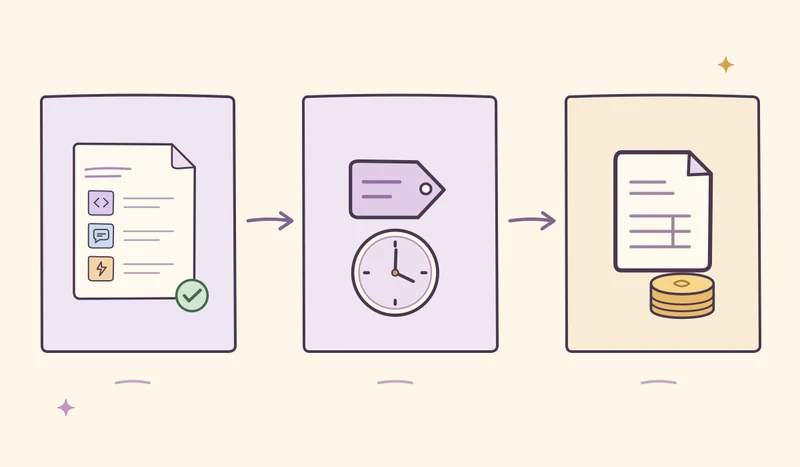
- Set up a service product. In Odoo 19, this workflow uses Sales, Project, Timesheets, and Accounting. Go to Sales → Products → Products, set Product Type to Service, and set Invoicing Policy to Based on Timesheets. Under Create on Order, choose Project & Task to create both, or choose Task and select an existing project. Check that timesheets are enabled for the project. Odoo 19 T&M guide · Enable timesheets on a project
- Confirm the sales order and record time. Prepare the quotation with the agreed service and rate, then click Confirm once the client accepts. Open the relevant task from the order and log time on the Timesheets tab. Check that the Sales Order Item matches the billing line, especially when one order has more than one rate. Record time the consultancy absorbs on a task or entry that isn’t linked to a sales line being invoiced. Odoo 19 T&M guide · Timesheet entry details
- Reconcile logged time with billable quantities. Have the responsible person review the hours against the billing period and agreed cap. On the sales order, check Recorded Hours and the Delivered column against quantities already invoiced. If you use timesheet validation, check when your configuration counts hours toward delivery. Give internal time review and contractual approval clear owners. Odoo 19 T&M guide
Reinvoice travel on the same sales order
In the Expenses app, open Expenses → Configuration → Expense Categories. Choose At cost to pass through the cost, or Sales price if the contract specifies a selling price. On the expense record, select the order in Customer to Reinvoice and verify Analytic Distribution for the project. After someone approves the expense report and posts the journal entries, the expense appears on the sales order for invoicing. Odoo guide to reinvoicing expenses
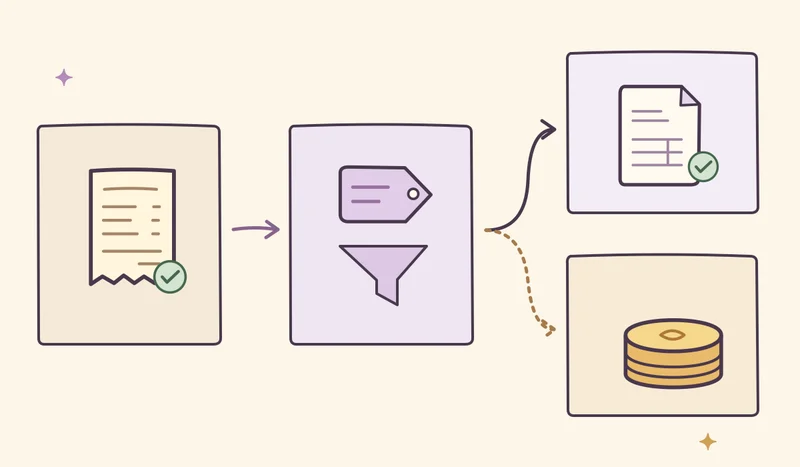
Reimbursing an employee and charging a customer are separate transactions. If you buy materials directly from a vendor and the contract allows you to pass through the cost, configure the product in Purchase with Can be Expensed enabled, Invoicing Policy set to Delivered quantities, and Re-Invoice Expenses set to At cost. On the purchase order line, set Analytic Distribution to match the related sales order. Confirm the purchase order, validate the receipt when the goods arrive, then create and confirm the vendor bill. Return to Order Lines on the sales order and check that the materials line and remaining quantity to invoice match what the client approved. Odoo T&M guide, including purchases
Check the draft before confirming the invoice
Suppose the agreed consulting rate is THB 2,500 per hour, the blended internal labor cost is THB 900 per hour, and the client pays the THB 1,800 travel cost as incurred. Nothing has been invoiced for this period yet.
| Item | Calculation | Amount before tax |
|---|---|---|
| Billable consulting | 12 hours × THB 2,500 | THB 30,000 |
| Reimbursable travel | At cost | THB 1,800 |
| Invoice total | THB 30,000 + THB 1,800 | THB 31,800 |
The consultancy still incurred labor costs for all 14 hours, or THB 12,600, plus THB 1,800 in travel. Subtracting those two costs from the invoice amount leaves THB 17,400 before other expenses. That figure shows the contribution for this example using the costs listed.
Once the figures reconcile, open the sales order, click Create Invoice, select Regular invoice, and create the draft. Review the hours, selling rate, expenses, taxes, and Analytic Distribution on the Invoice Lines before clicking Confirm. If the draft shows 14 hours, trace the absorbed time to the sales order line it was linked to. Correcting the source entries helps keep delivered and invoiced quantities traceable in the next billing cycle. Odoo guide to invoicing time spent